This page will tell you all you need to know about taking part in BTO's newest project, Birds in Greenspaces.

How to take part
Anyone can take part in Birds in Greenspaces!
- Choose a greenspace near you (you can do this in the app or check out our map to suggest any we've missed!).
- Spend as much or as little time as you want walking around the greenspace, and record all the birds you observe.
- If you're in a rush or don't feel ready to do a survey, you can also submit single species records.
Whether you're new to birds or an experienced birdwatcher, your records can help us to understand these understudied places.
What should I record
You should record all birds, you see and/or hear in the greenspace and on the boundary. You should also include birds that are flying within or low above the greenspace.
Birds flying high overhead, such as large groups of geese, should not be recorded as it is unlikely they are using the greenspace.
Where to record
We are including tens of thousands of greenspaces, throughout the UK, Channel Islands and Isle of Man.
These are public-access greenspaces in and around cities, towns, and villages, ranging from tiny postage stamp community gardens to huge parks (some of which we've even had to divide up!).
Some examples of greenspaces included are, parks, playing fields, village greens, local nature reserves, and cemeteries - the main thing is that they are free for anyone to access, and are within or next to a built-up area.
Greenspaces aren't limited to a single surveyor, helping us to collect as much data as possible and ensure as many people as possible can take part at a greenspace near them!
When to record
You can carry out your visit at any time of day, but the morning is ideal.
Birds are most active early to mid-morning, meaning you are more likely to hear and see more if you do your survey then, but carrying out your visit at other times of day will still give us valuable data!
How long you spend is up to you! For most greenspaces, 30 minutes to one hour is enough to survey the whole greenspace, recording all the birds you observe, but if you only have a short time to spare then we'd still love your data.
In order to ensure we collect the most complete data possible, we recommend carrying out multiple visits to your greenspace, ideally one per month (April, May, and June), but even a single visit can provide us with valuable data.
Our quick record method allows you to submit single species records, so if the only time you have to visit a greenspace is on your commute to work or while going for a run, for example, you can still contribute to the project.
How to record
From 1 April to 30 June, we would like you to count the birds you observe in one or more local greenspace(s).
You simply need to tell us which greenspace(s) you visited, how long you spent there, and which birds and how many of them you observed.
You can record your data using our brand-new mobile phone app or using a paper recording form if you'd rather submit your data on the computer later on.
Sign up!
If you already have a MyBTO account
- Log in to MyBTO
- Then look for Birds in Greenspaces under "Sign Up for Projects" and click "Register".
If you don't have a MyBTO account
- Create a free MyBTO account
- When you are logged in, look for Birds in Greenspaces under "Sign Up for Projects" and click "Register".
You can also register and sign up within the mobile app.
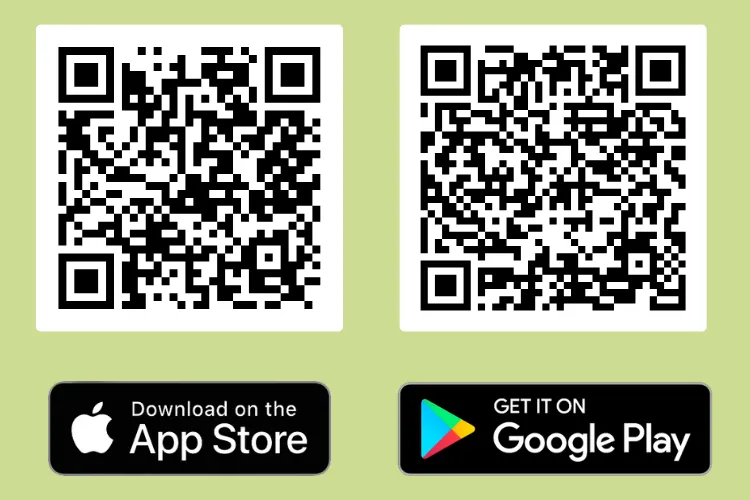
Download the mobile app!
- Scan the relevant QR code using your mobile camera.
- Search 'Birds in Greenspaces' in the App Store or the Google Play Store.
Using the app
This section will tell you how to use the new Birds in Greenspaces mobile phone app and web app.
Adding a survey
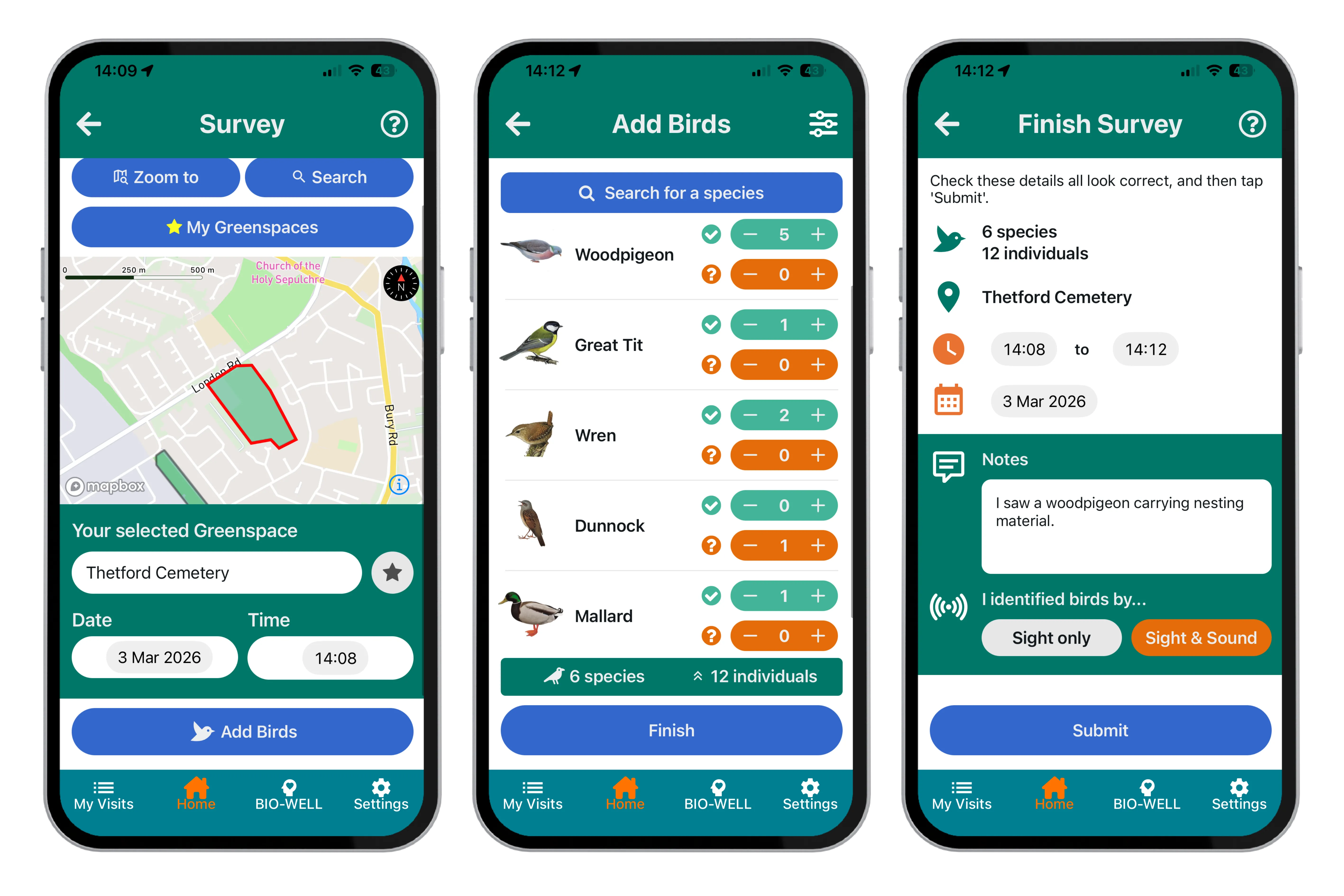
Selecting a greenspace
Use the map to select your greenspace by
- Mobile app: Tapping it with your finger
- Web app: Clicking it with your mouse or
- Choosing from the list
To find a greenspace
- Use 'Zoom to' to zoom to a place or postcode on the map.
- Use 'Search' to search from the list of included greenspaces.
- Mobile app: Use your fingers to manually move around the map.
- Web app: Use your mouse to move around the map manually.
‘My greenspaces’ is a shortlist of your favourite greenspaces.
- Mobile app: You can add a greenspace to favourites by clicking the grey star button on the mobile app.
Adding birds
- Search for a species from the list.
- Adjust the number of individuals:
- Mobile app: Use the green -/+ button.
- Web app: Type the count in the certain column.
- If you are uncertain of the ID of a bird you have observed, you can add possible individuals:
- Mobile app: Use the orange -/+ button.
- Web app: Type the count in the possible column.
The default list shows common species you are likely to encounter in a greenspace, but if you are more experienced, you can expand the list to be able to search from a larger species list via the settings.
Clicking on a bird's image will reveal male and female images for many species.
- Mobile app: For the most common species, clicking the image will also show basic bird information. Bird images can also be toggled off in the settings.
Checking and submitting
When you have finished adding your birds, you are almost ready to submit. Check that the information is correct, tell us if you recorded birds you identified by sight only or both sight and sound, add any notes you wish, and that’s it! You can either submit your record or save for later.
Quick records, BIO-WELL and My Visits
Quick add
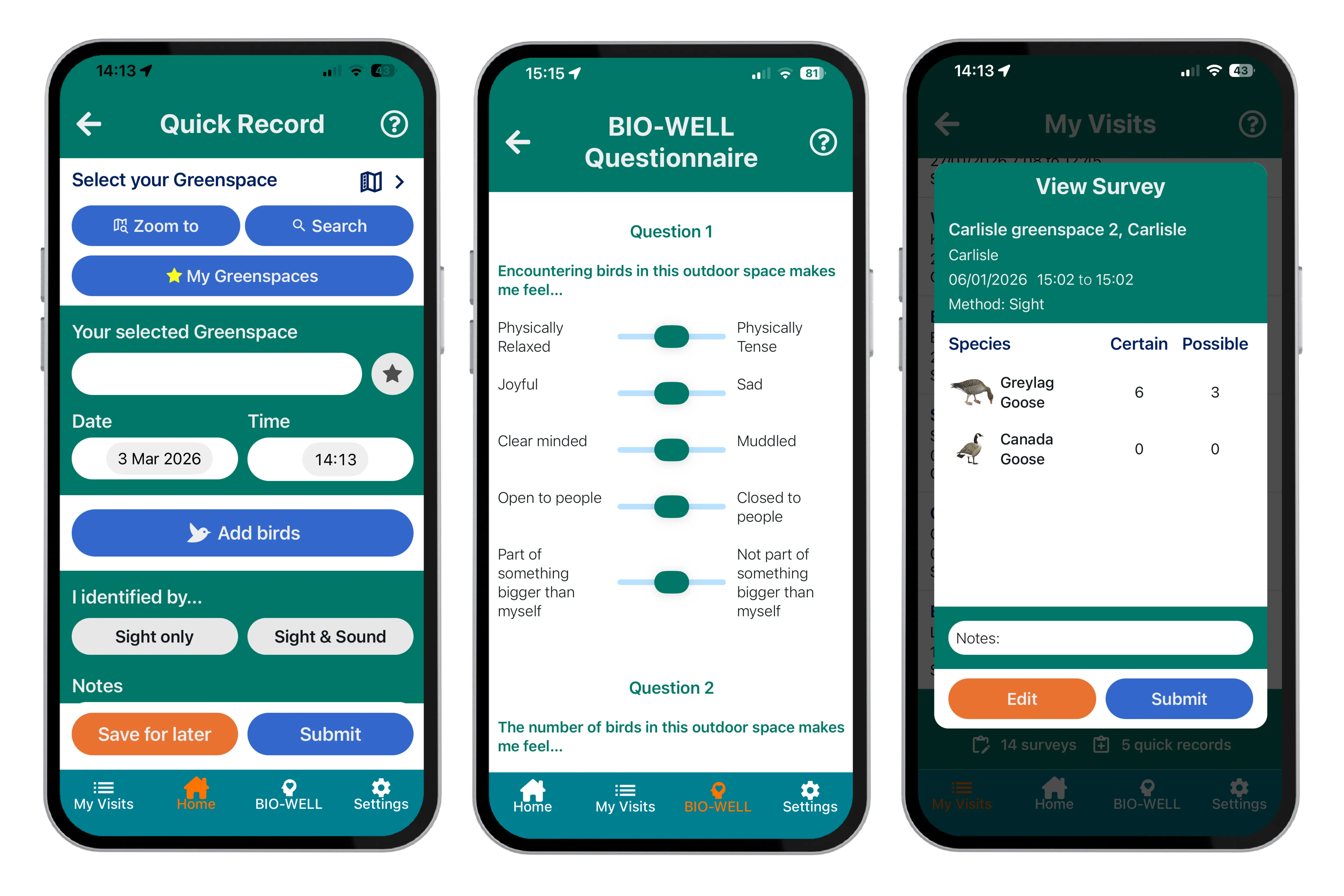
If you only want to add a single species registration, this can be done using quick add.
All you need to do is select your greenspace, add your bird and count, tell us how you identified the bird. Then check the date and time and add any notes you wish, and you’re ready to submit.
BIO-WELL
By completing this short questionaire for the sites you have submitted data for you can help us to understand people’s perceptions of bird diversity in greenspaces.
The BIO-WELL scale was developed by the scientists at the Durrell Institute of Conservation and Ecology (DICE) at the University of Kent and aims to quantify the effect of biodiversity on wellbeing.
The questionaire only takes a few minutes to complete, and will be linked to the greenspaces you have visited.
Viewing and editing visits
You can view and edit visits using 'My visits'. If using the mobile app, this will only allow you to view and edit visit data collected using the mobile app, however both mobile and web visits can be viewed within the web app.
Greenspaces Map
This is the place to check if your local greenspace is already on our map or look for greenspaces near you.
Something we've missed or that's not quite right? By signing up for the project you can also suggest new greenspaces and changes to existing ones.
How to suggest a new greenspace
If you would like to suggest a new greenspace, please follow these instructions:
- You will need to be registered for MyBTO and signed up to the project, which you can do from within the Greenspaces Map.
Then:
1. Click the ‘Draw a Greenspace’ button to activate the drawing tool

2. Single click on the map in the chosen location to start drawing
- Greenspaces cannot overlap
- Minimum size 0.5 hectares (just smaller than a football pitch)
- Must be publicly accessible
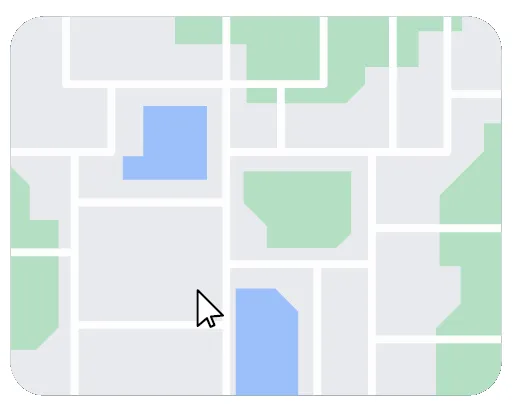
3. Move your mouse around the map
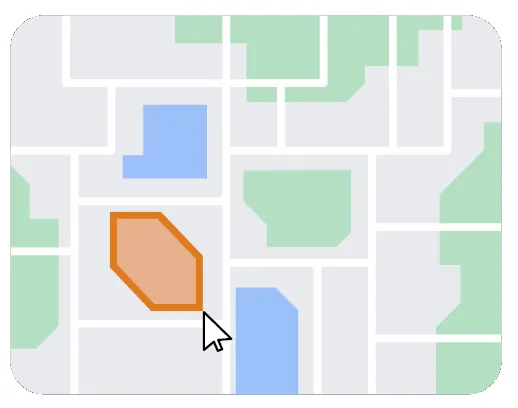
- Single click to place points/corners along the boundary.
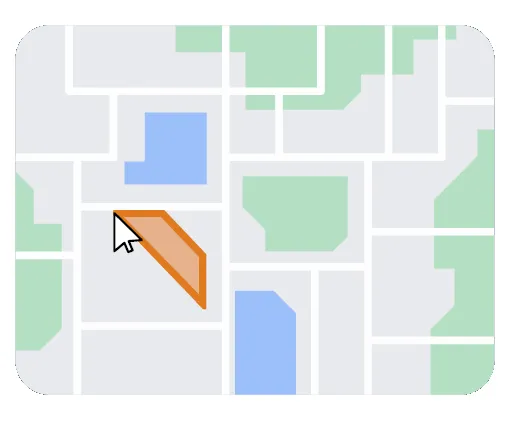
- Double click to finish your drawing.
- Press ‘Cancel drawing’ to restart.
- Press ‘Edit drawing’ to edit and click and drag corners to adjust.
- Press ‘Stop editing’ to finish.
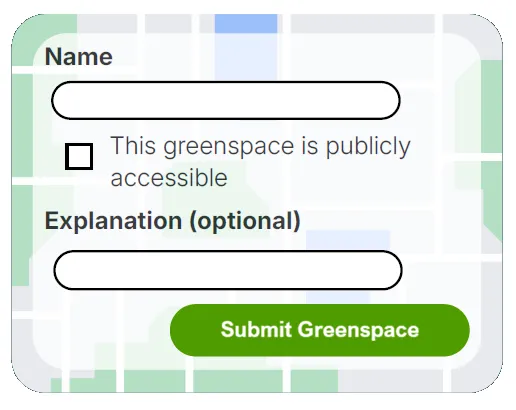
4. Enter a name and confirm that the space is public access
- You can also add notes.
- To finish, click the ‘Submit Greenspace’ button.
How to amend an existing greenspace
If you would like to amend a new green space, please follow these instructions:
- You will need to be registered for MyBTO and signed up to the project, which you can do from within the Greenspaces Map.
Skip to step four if you only want to amend the greenspace's name and notes.
1. Click the ‘Select Greenspace To Amend’ button

2. Click the greenspace once to select it
- Greenspaces cannot overlap
- Minimum size 0.5 hectares (just smaller than a football pitch)
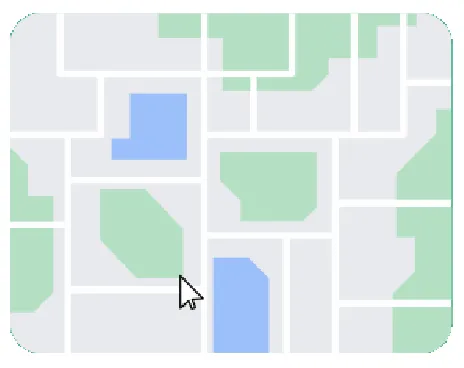
3. Single click and drag the white points to move them, and release to place them
- Press ‘Cancel Amendment’ to restart.
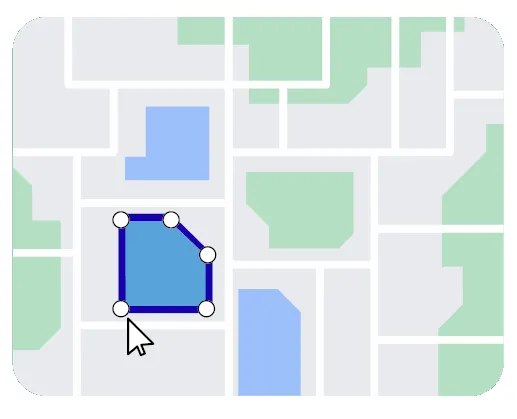
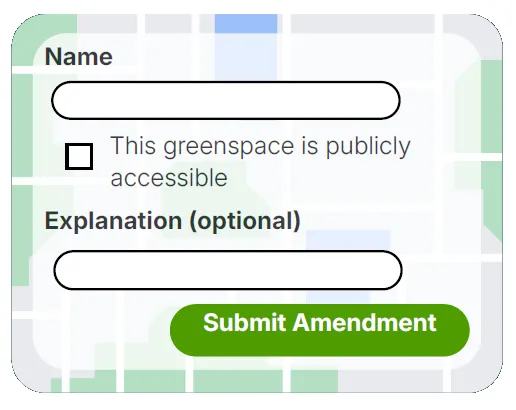
4. Amend the name, public access, and notes
- To finish, click the ‘Submit Amendment’ button.
- The outcome of your suggestion will be sent to your email.
Resources
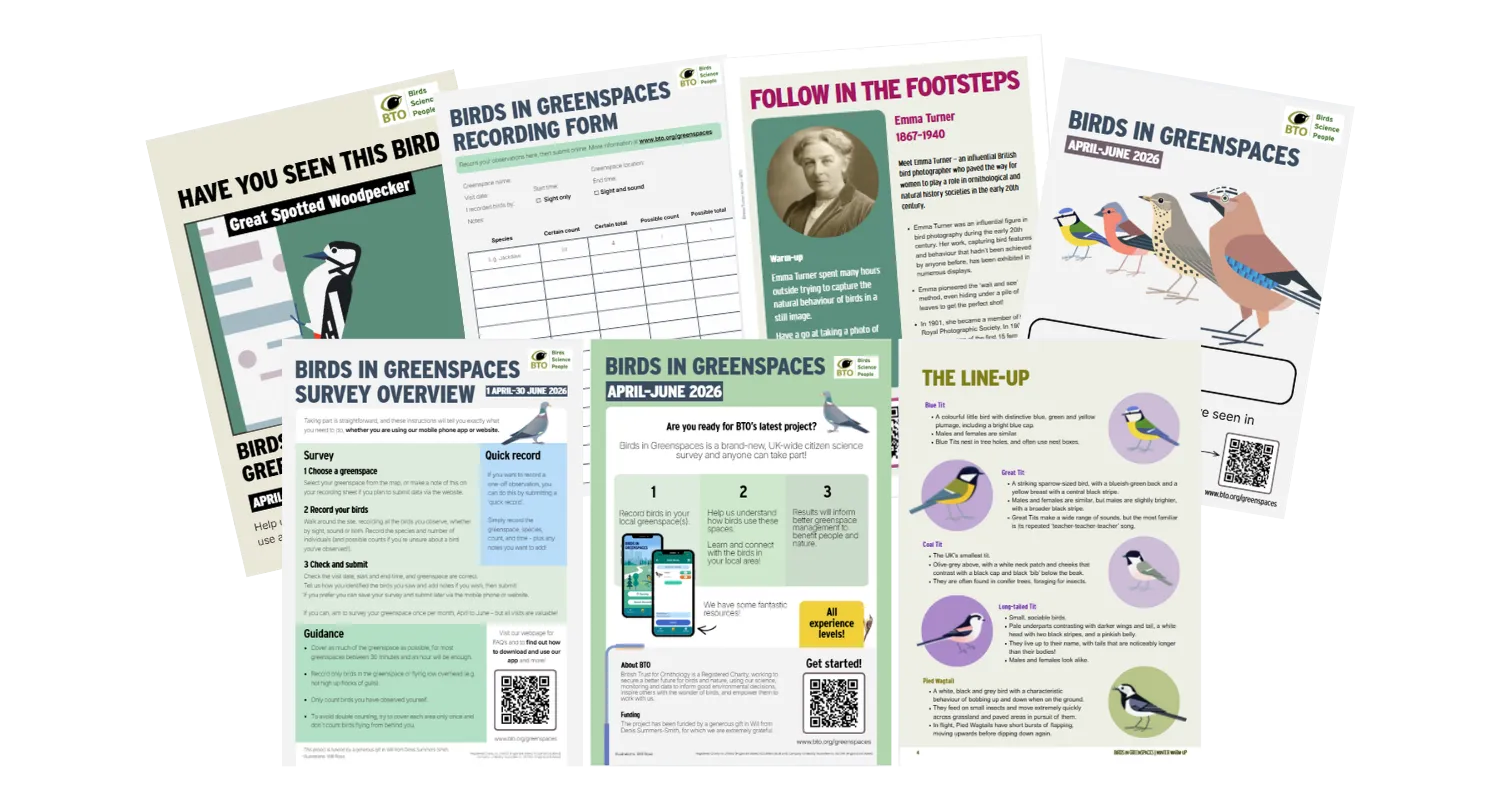
We have a range of fantastic downloadable resources to help you take part, boost your skills, and more!
This project has been funded by a generous gift in Will from Denis Summers-Smith, for which we are extremely grateful.
A special thank you to Will Rose for the beautiful illustrations on this page.