Step-by-step instructions for reporting dead or sick birds via the BirdTrack app and the online BirdTrack portal.
Ready to report a sick or dead bird?
If you're looking to report a sick or dead bird to BirdTrack and already know how to do so, you can go straight to the online BirdTrack portal to submit your record.
Sign up to BirdTrack
If you have not used BirdTrack before, you will need to sign up for BirdTrack before you can submit records. It's quick, easy and free to do.
You can then submit records through our online BirdTrack portal, or the BirdTrack mobile app.
Report via the BirdTrack app
You can report sick or dead birds as one-off records or as part of a BirdTrack list through the BirdTrack app.
If you don't already have the BirdTrack mobile app, you can:
- Download it from Google Play (for Android) or the App Store (for iOS) on your mobile device
- Submit your records via the online BirdTrack portal, which is accessible via a desktop PC
Submit a one-off record
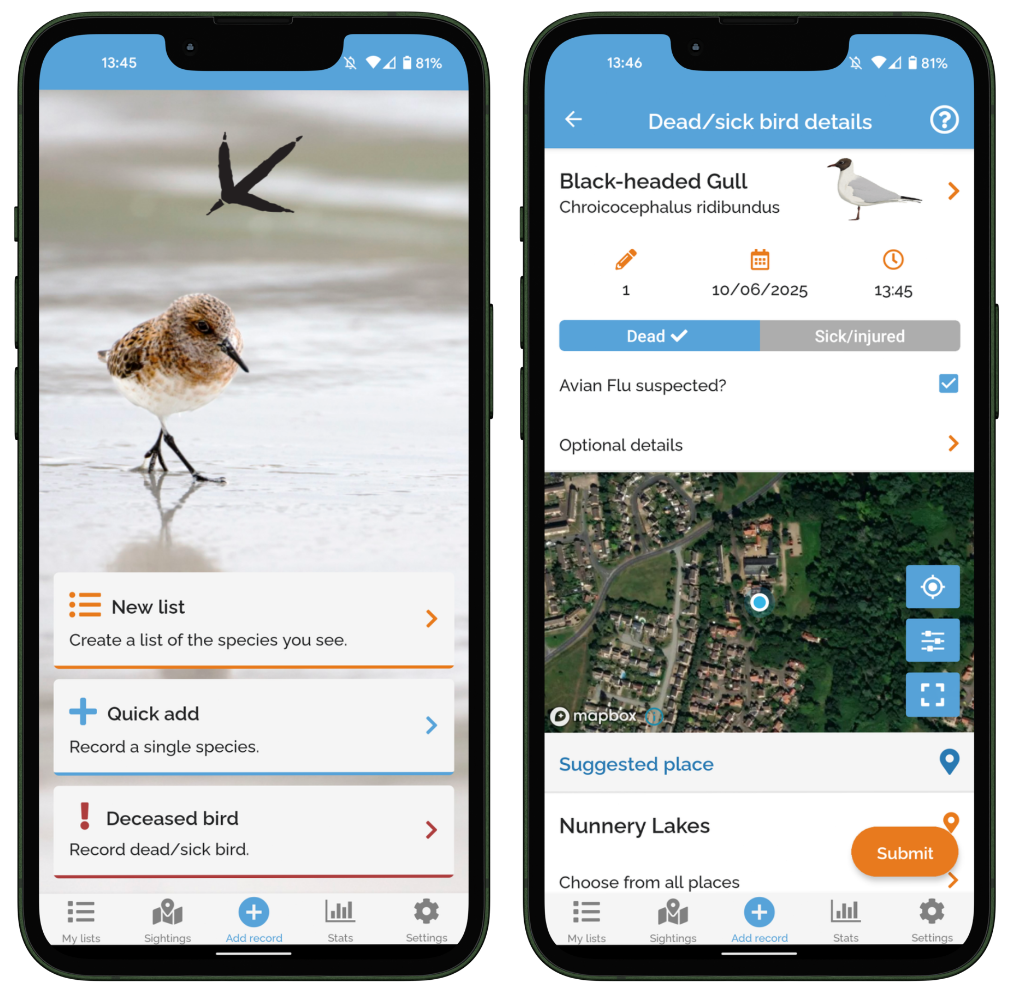 Select the 'Deceased bird - Record dead/sick bird' option on the homepage of the app to open the 'Dead/sick bird details' screen. On this screen, you can add information about:
- The species
- The count or number of dead or sick bird(s)
- The date and time that you observed the dead or sick bird(s)
- Whether the bird was dead or sick/injured
- Whether you suspect avian influenza
- Any additional optional details about your observation
- The location of your observation
Selecting a location
Zoom and pan on the map to find the correct location. You can then:
- Select a site you have already recorded at (green markers)
- Select a popular place, available for anyone to record at (orange markers)
- Create a new site that is not already on the map: press and hold over the location until a blue pin appears, then select the pencil icon to add the name for the new site
Include dead or sick birds in a BirdTrack list
If you are entering a list of birds via the BirdTrack app, you can also include dead and sick bird sightings within this.
On the checklist page, add the species of the sick or dead bird, then press the clipboard icon in that species' row. This will take you to the Observation details page:
- Select Additional fields
- Scroll down to Extras, and select Add extra
- Open the drop-down menu under Type and select Dead or Sick/injured
- You can also enter a count and any comments
Note: the app will not allow you to enter a count of dead or sick birds that exceeds the count of that species on the main checklist page, so make sure you include dead and sick birds in these counts.
Report via the online BirdTrack portal
You can report sick or dead birds as casual sightings or as part of a complete list via the online portal.
Adding records
Select Add records from the left-hand menu. You can then enter:
- the location, date and time of your observation
- whether your record is 'Casual' (a single record of a dead or sick bird) or part of a 'Complete list' (a record of a sick or dead bird alongside other sightings from the same visit)
Submitting
Click Submit to proceed. On the next screen, enter the species you wish to record. In the checklist row for that species:
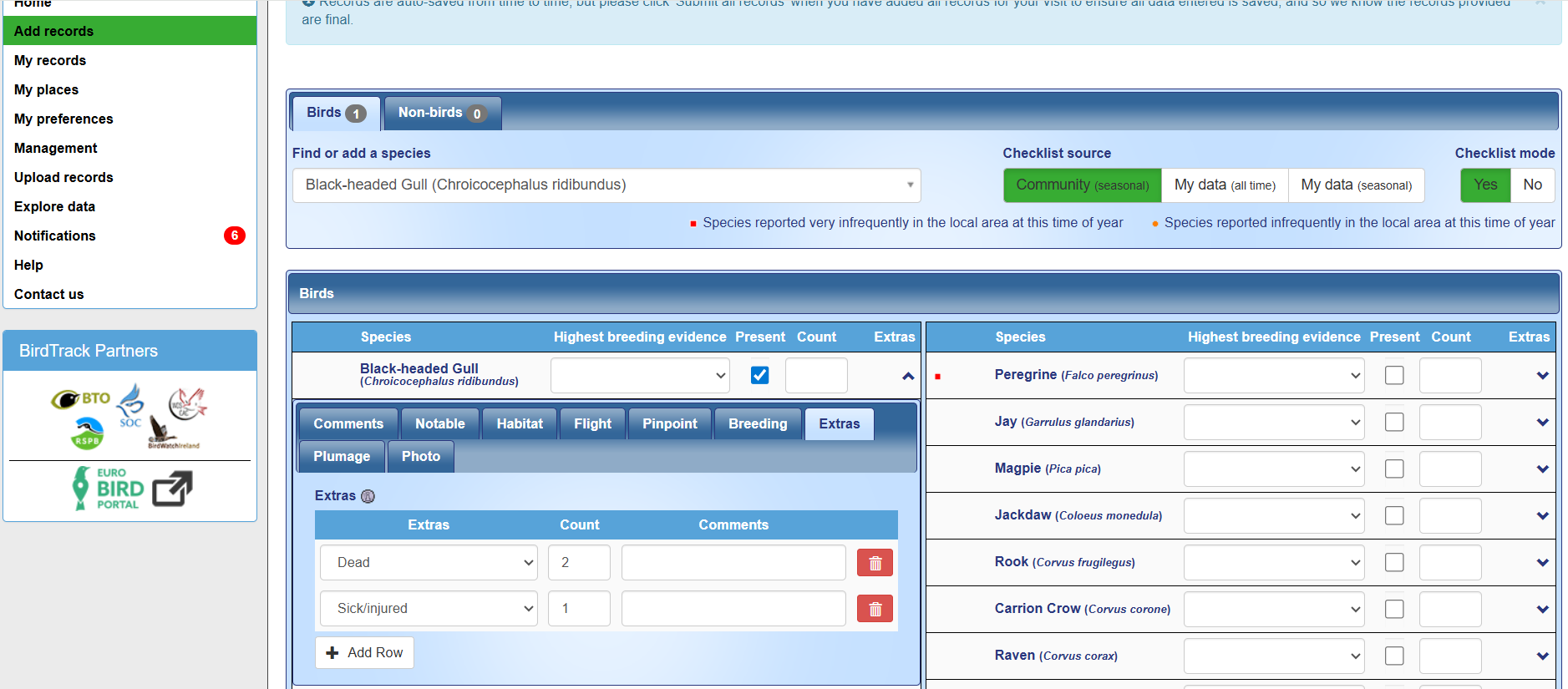
- Click the downward arrow under 'Extras' and select the 'Extras' tab
- Select the drop-down menu under Extras and choose 'Dead or sick/injured'. Enter a count and any additional comments about your observation.
- If you want to add both Dead and Sick/injured birds, you can click Add row to add further records of that species.
- Click Submit all records.